Cancelling Grok and asking for a refund depend on where you paid
A Grok plan is cancelled and refunded through the place you bought it: grok.com, Apple, Google Play or X. Approved xAI refunds go back to the original payment method.
Where you paid
Cancel
Refund
grok.com
Billing & invoices → plan options
xAI Refund Request form
App Store
not described by xAI
Apple handles it
Google Play
in Google Play, if still renewing after a switch
xAI Refund Request form
X
in X
X Premium: X, not xAI
Stopping the plan
Billed directly: open the grok.com dashboard, go to Billing & invoices, open the options on your current plan and follow the prompts.
Subscribed to The X Subscription on X: cancel it in X.
Switched from a Google Play plan that is still set to renew: cancel it in Google Play.
Billing button doing nothing on the web? Ad-blockers or extensions can block it — try an incognito window or another browser.
Who pays the money back
App Store purchases: Apple handles all refunds.
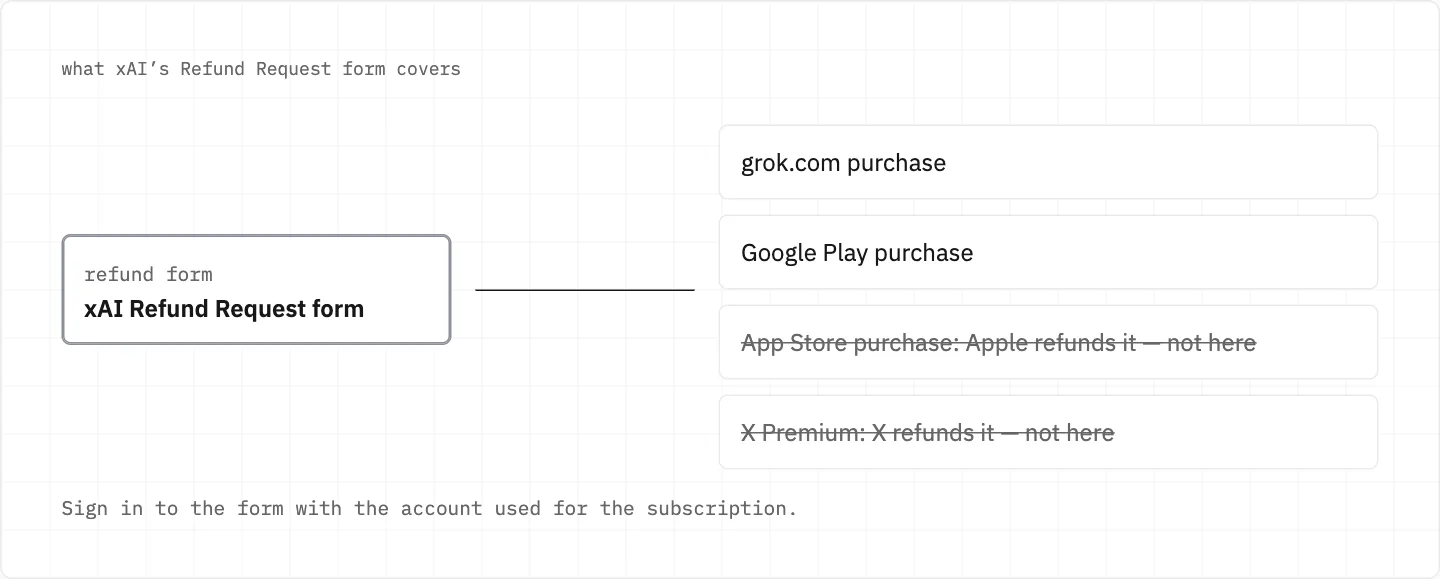
Web or Google Play purchases: use xAI’s Refund Request form, signed in with the account used for the subscription.
X Premium: X, not xAI, processes a refund where the law requires one.
Approved refunds typically reach the original payment method within 5–10 business days.
The xAI form covers web and Google Play purchases; Apple refunds App Store purchases and X refunds X Premium.
Money xAI does not return
xAI API credits are non-refundable.
Prepaid API credits aren’t refunded unless the law in your region requires it.
Compromised usage generally can’t be refunded if the purchase location matches your usual location.
Refunds when you switch to The X Subscription
Old subscriptions cancelled at the switch get an automatic prorated refund for unused time.
That refund goes to the original payment method, not as credit to The X Subscription.
The switch is permanent, and Support can’t undo it.
A charge you don’t recognise
Check the purchase date and your subscription history before disputing.
Your subscription is tied to the account you bought it with — another login may not show it.
For billing matters you can reply to your receipt email.
A SuperGrok plan that seems to have vanished
Signing in only authenticates you; it does not switch your plan or cancel a subscription.
Plan missing? You may be in a different account: sign out and use the sign-in method you used for it before.
Subscribed with an Apple Hide My Email address? Sign in with Apple, not with the relay email via Google or email.
X Premium+ access applies only to the xAI account linked with your X account.
Grok and the xAI API share one account but are billed separately, so API spend is not part of your Grok plan.
stay safe
Refunds come only through Apple, X or xAI’s own Refund Request form — never through a «refund agent» asking for your card details. Scam sites use xAI’s name and logo.
We use cookies to collect data to improve your experience on our website. Read our usage policy cookies You can
your preferences at any time.
Website data collection settings
We use data collected through cookies and JavaScript libraries to improve your browsing experience, analyze website traffic, deliver personalized advertising, and improve the overall performance of our website.
Substantial
We use browser cookies that are necessary for the website to function properly. For example, we store your website data collection settings so that we can comply with them if you return to our website. You can disable these cookies in your browser settings, but if you do so, the website may not function as intended.
Marketing and analytics
To understand user behavior in order to provide you with a more relevant browsing experience or to personalize content on our website. For example, we collect information about which pages you visit to help us provide more relevant information.
Advertisement
To personalize and measure the effectiveness of advertising on our website and other websites. For example, we may show you personalized ads based on the pages you visit on our website.
Do you still have questions?
Let me hear them! 😊
Need help?
If you have questions or need assistance, our support team is ready to help you.