Leaving ChatGPT: export first, delete for good, wait 30 days
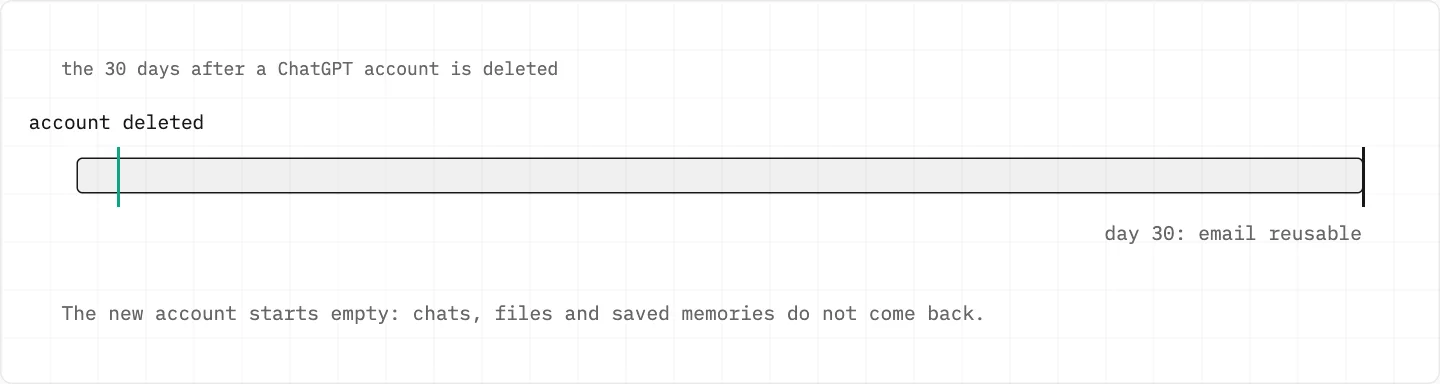
Deleting a ChatGPT account is permanent and ends API access too, so export first. A new account on the same email is possible after 30 days, but it starts empty.
Data controlsExport
then Confirm export
your emailDownload link
within up to 7 days
24 hoursSave the file
then the link expires
AccountDelete
type DELETE
Take a copy of your chats
Settings → Data controls, then Export under Export data, then Confirm export.
The export arrives within up to 7 days; its download link expires 24 hours after you receive it.
Can’t sign in? Request your data through the Privacy Portal.
An export can’t bring back chats you already deleted.
Before you press Delete on ChatGPT
Cancel the plan where you bought it — chatgpt.com, Apple or Google Play.
Uninstalling the app does not cancel it.
Can’t sign in to cancel? Support can do it with the account email plus any two billing details, never the complete card number.
Deleting to switch sign-in method doesn’t work, and two accounts are not merged automatically.
Closing the account for good
Deleting your ChatGPT account is permanent.
It removes access to ChatGPT and the API; your data is deleted within 30 days.
On the web: Settings → Account → Delete, then enter your email or phone and type DELETE.
Can’t sign in? Submit a verified deletion request through the Privacy Portal.
Paying through Apple? Deleting the account does not cancel that subscription.
Thirty days later
A deleted account can’t be reactivated, but the same email can open a new one after 30 days.
Not for addresses tied to an Enterprise organisation or disabled for a policy violation.
A phone number is removed from OpenAI’s system after 30 days, unless it was disabled for a violation.
The new account doesn’t restore chats, files or saved memories.
Deletion doesn’t reset the API phone-verification limit: one number verifies the first API key for up to three accounts.
Data goes within 30 days; after that the same email can start a new account — an empty one.
Deleted by you, or deactivated by OpenAI?
The «deleted or deactivated» error means either you deleted the account or OpenAI deactivated it.
A deactivated account is a different case: waiting 30 days does not bring it back, and an appeal starts from the link in the deactivation email.
A verification email you never asked for
It is safe to ignore: no account is created unless someone approves it with the link.
Be cautious with emails that ask for credentials or send you to pages that want account details.
Messages that really come from OpenAI are sent from an official OpenAI domain.
deleting is yours to do
Deletion and data requests run only through your own settings or OpenAI’s Privacy Portal. Nobody needs your password or a one-time code to «handle» it for you.
We use cookies to collect data to improve your experience on our website. Read our usage policy cookies You can
your preferences at any time.
Website data collection settings
We use data collected through cookies and JavaScript libraries to improve your browsing experience, analyze website traffic, deliver personalized advertising, and improve the overall performance of our website.
Substantial
We use browser cookies that are necessary for the website to function properly. For example, we store your website data collection settings so that we can comply with them if you return to our website. You can disable these cookies in your browser settings, but if you do so, the website may not function as intended.
Marketing and analytics
To understand user behavior in order to provide you with a more relevant browsing experience or to personalize content on our website. For example, we collect information about which pages you visit to help us provide more relevant information.
Advertisement
To personalize and measure the effectiveness of advertising on our website and other websites. For example, we may show you personalized ads based on the pages you visit on our website.
Do you still have questions?
Let me hear them! 😊
Need help?
If you have questions or need assistance, our support team is ready to help you.