Open ChatGPT on the web and go to Settings > Account, then Email, then Add.
Once an email is linked, MFA becomes available.
Until then, the password resets by SMS on a device you have already used to log in.
Google, Microsoft or Apple sign-ups: the password step
Add the password under Settings → Security and login → Password, selecting Add.
An Apple Hide My Email account may sit on an @privaterelay.appleid.com address — that relay is the account’s current email.
Later, Google, Microsoft or Apple sign-in combines with your password only when its email matches the account.
The two-inbox rule
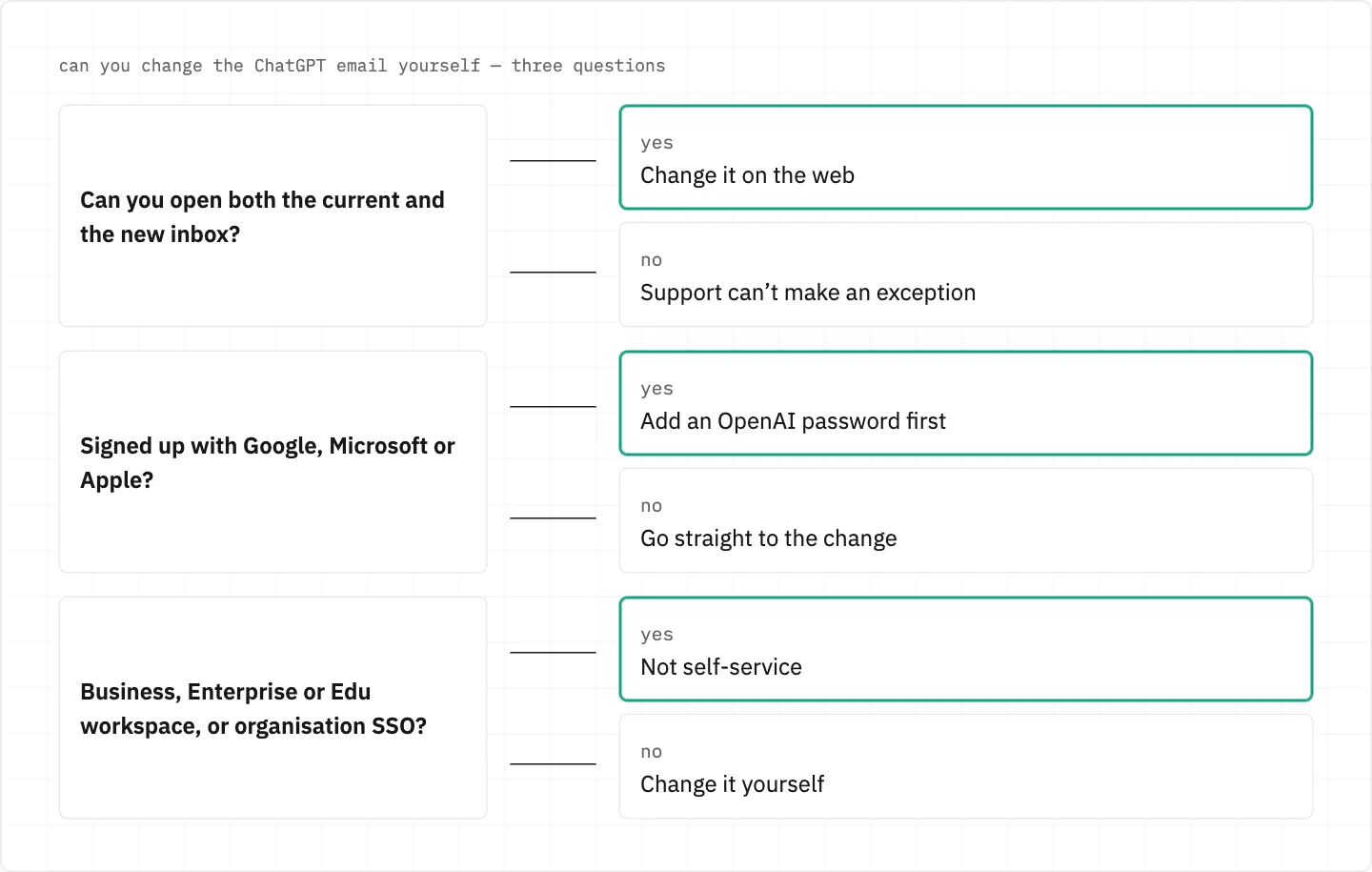
You must be able to sign in and open both the current and the new inbox.
OpenAI Support can’t make an exception to that requirement.
Both inboxes open, a password added for social sign-ups, and a personal account — then the change is yours to make.
The new address already belongs to a ChatGPT account
OpenAI doesn’t merge accounts automatically, so a second account on that address stays separate.
With MFA on, you must keep your current login method until MFA is disabled.
A verification email you never asked for is safe to ignore: nothing is created without its link.
Confirmation messages from OpenAI should come from an official OpenAI domain.
When the change isn’t yours to make
Business, Enterprise or Edu workspaces and organisation SSO accounts can’t change the email themselves.
The iOS and Android apps can’t change it — use the web.
Google, Microsoft or Apple sign-up without an OpenAI password? Add one first.
The old inbox is already lost
Self-serve won’t help, and SMS is not an alternative for email-based login.
Write to Support with the account email, the sign-in method you tried and any billing or subscription details.
Remember the account email may differ from the one that gets your receipts.
Support opens from the chat bubble at the bottom-right of help.openai.com.
your inbox, your keys
An email change goes through your own two inboxes — a person who asks for your password or the codes that land there is not part of it. Do not share passwords or one-time codes, not even with Support.
We use cookies to collect data to improve your experience on our website. Read our usage policy cookies You can
your preferences at any time.
Website data collection settings
We use data collected through cookies and JavaScript libraries to improve your browsing experience, analyze website traffic, deliver personalized advertising, and improve the overall performance of our website.
Substantial
We use browser cookies that are necessary for the website to function properly. For example, we store your website data collection settings so that we can comply with them if you return to our website. You can disable these cookies in your browser settings, but if you do so, the website may not function as intended.
Marketing and analytics
To understand user behavior in order to provide you with a more relevant browsing experience or to personalize content on our website. For example, we collect information about which pages you visit to help us provide more relevant information.
Advertisement
To personalize and measure the effectiveness of advertising on our website and other websites. For example, we may show you personalized ads based on the pages you visit on our website.
Do you still have questions?
Let me hear them! 😊
Need help?
If you have questions or need assistance, our support team is ready to help you.