ChatGPT account deactivated: where your appeal goes
A deactivation follows a breach of the Usage Policies or Terms; a suspected compromise can also lead to a temporary suspension. The appeal starts from the email OpenAI sent you.
What you have
Appeal through
The deactivation email
The link inside it
No access to that email
Intake form at openai.com/form/appeal/
No email at all
Help Center chat
Deactivated, suspended or deleted?
Deactivations happen over violations of the Usage Policies or Terms of Service.
A suspected compromise may lead OpenAI to suspend the account temporarily.
The «deleted or deactivated» error means you deleted it or OpenAI deactivated it.
Filing the appeal
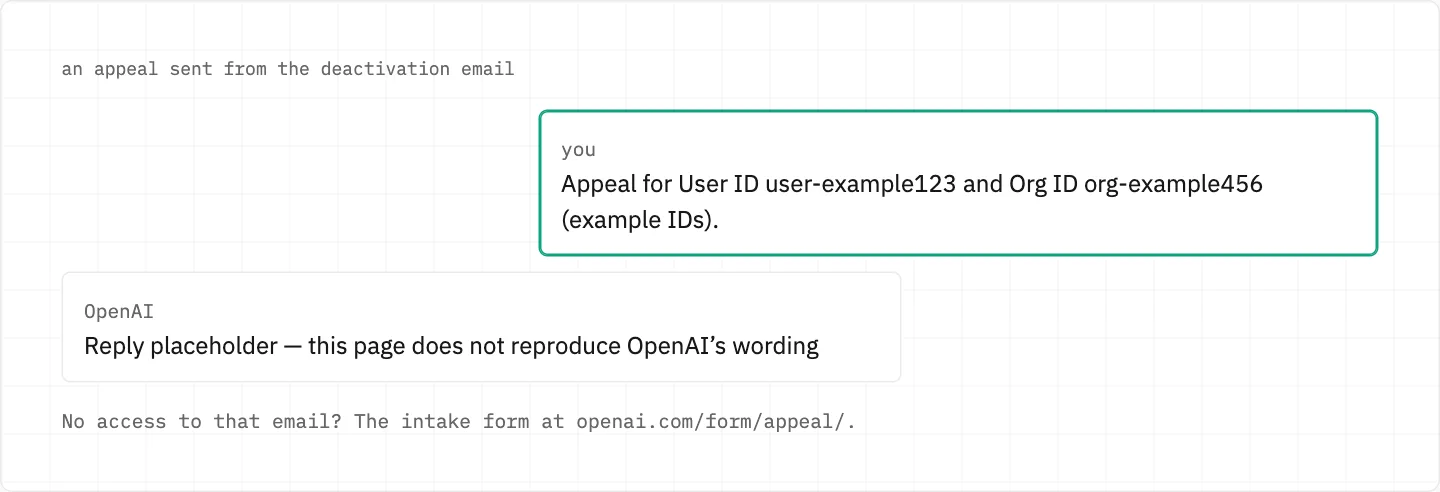
Submit it through the link in the deactivation email.
Can’t open that email? Use the intake form at openai.com/form/appeal/.
Never got an email? Reach out through the Help Center chat.
Include the User ID and Org ID you are appealing for.
Search every inbox for the notice: the account email may differ from the address that receives invoices or receipts.
The Help Center chat opens from the bubble at the bottom-right of help.openai.com; a bot answers first.
This guide has not opened the appeal form itself, so its fields are not listed here.
Appeal through the link in the deactivation email and name the User ID and Org ID you are appealing for.
Closed over identity or age checks
A missed identity or age verification can deactivate an account; in Italy, sign in and select Verify your age on the deactivation screen.
Suspended because someone else may have been in
Think another person used the account? Report it on the Unauthorized Activity webform with «Report unauthorized activity involving my account».
Once you are back in, change the password: all current sessions are logged out within 30 minutes.
Sharing the account with others can trigger Suspicious Activity Alerts, which are often cautionary.
Your paid ChatGPT plan during a ban
Eligible self-serve subscriptions billed directly by OpenAI stop renewing once an account is banned.
A plan bought through Apple or Google Play is cancelled on that platform.
Can’t reach that store account? Apple or Google handle its recovery.
Refunds for Apple purchases come only from Apple.
Can’t sign in to ChatGPT? Support can cancel with the account email plus any two billing details — never the complete card number.
Your chats while you can’t sign in
Request a copy of your data through the Privacy Portal if you cannot sign in.
An export can’t bring back chats that were already deleted.
While the decision is pending
Waiting 30 days does not reactivate a deactivated account.
An address disabled for a violation can’t be reused for a new account.
A phone number disabled for a violation is not released after the usual 30 days.
If you deleted the account yourself instead, it cannot be reactivated.
no back door
No one outside OpenAI can lift a deactivation, whatever they charge. Appeal only through OpenAI’s own link, form or chat, and never share a password or one-time code while doing it.
We use cookies to collect data to improve your experience on our website. Read our usage policy cookies You can
your preferences at any time.
Website data collection settings
We use data collected through cookies and JavaScript libraries to improve your browsing experience, analyze website traffic, deliver personalized advertising, and improve the overall performance of our website.
Substantial
We use browser cookies that are necessary for the website to function properly. For example, we store your website data collection settings so that we can comply with them if you return to our website. You can disable these cookies in your browser settings, but if you do so, the website may not function as intended.
Marketing and analytics
To understand user behavior in order to provide you with a more relevant browsing experience or to personalize content on our website. For example, we collect information about which pages you visit to help us provide more relevant information.
Advertisement
To personalize and measure the effectiveness of advertising on our website and other websites. For example, we may show you personalized ads based on the pages you visit on our website.
Do you still have questions?
Let me hear them! 😊
Need help?
If you have questions or need assistance, our support team is ready to help you.