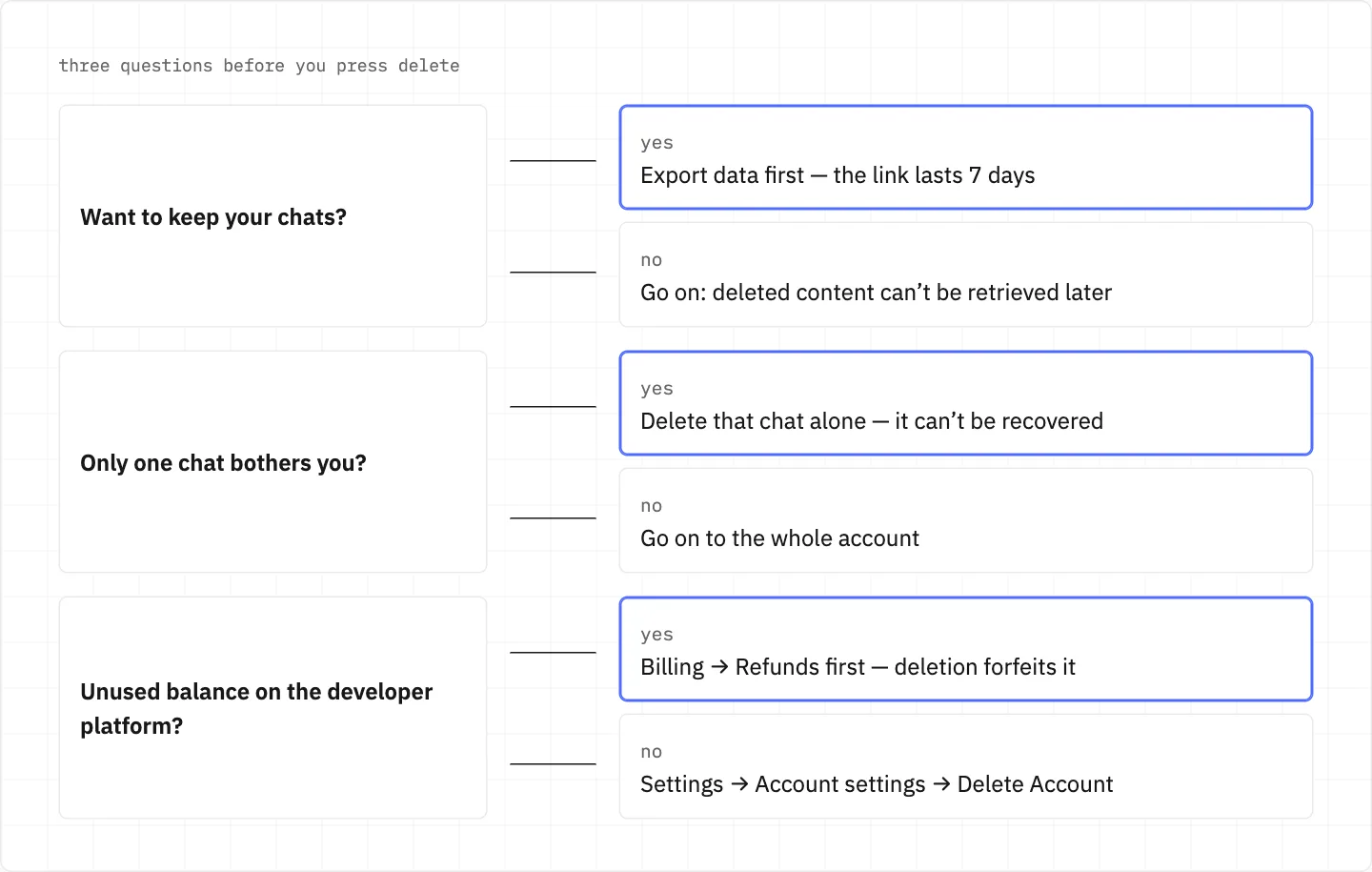
Leaving DeepSeek: export first, because a deleted account stays deleted
The DeepSeek export holds your account information and every chat. Deleting the account erases the chat history, forfeits unused developer balance, and cannot be reversed.
Chats you never asked for can come from a session left open on a public device.
Settings → Account settings → Log out of all devices closes those sessions without losing the account.
Then reset the password with «Forgot Password» under password login, and report the unauthorized use to DeepSeek.
Signing up to DeepSeek again later
A re-registered account is separate from the deleted one, and the old balance cannot be transferred.
A number you bind later must not be registered with DeepSeek already, or must have been deregistered.
Changing the bound email is not supported, so the address you sign up with stays with the new account.
Privacy requests go by email
Privacy rights requests, and appeals against refused ones, go to [email protected].
The Privacy Policy names a right to opt out of your data being used to train models.
DeepSeek states it collects, processes and stores personal data in the People’s Republic of China.
The Privacy Policy has terms for users aged 14 to 17.
before you share an export
The file holds your account information and all chat history. Treat it like the account itself: the account is yours alone and can’t be passed on to anyone.
We use cookies to collect data to improve your experience on our website. Read our usage policy cookies You can
your preferences at any time.
Website data collection settings
We use data collected through cookies and JavaScript libraries to improve your browsing experience, analyze website traffic, deliver personalized advertising, and improve the overall performance of our website.
Substantial
We use browser cookies that are necessary for the website to function properly. For example, we store your website data collection settings so that we can comply with them if you return to our website. You can disable these cookies in your browser settings, but if you do so, the website may not function as intended.
Marketing and analytics
To understand user behavior in order to provide you with a more relevant browsing experience or to personalize content on our website. For example, we collect information about which pages you visit to help us provide more relevant information.
Advertisement
To personalize and measure the effectiveness of advertising on our website and other websites. For example, we may show you personalized ads based on the pages you visit on our website.
Do you still have questions?
Let me hear them! 😊
Need help?
If you have questions or need assistance, our support team is ready to help you.